

Steps
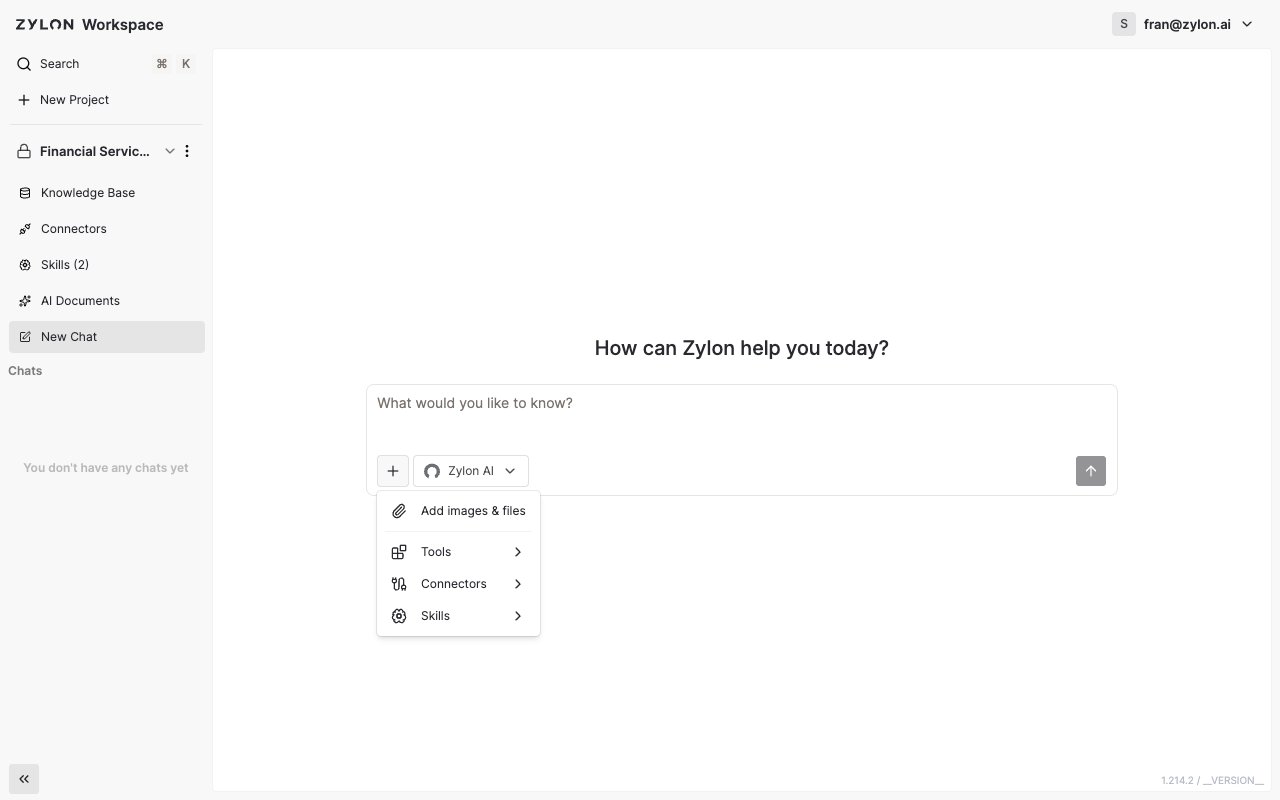
- Start typing in the message box, then click the + button.
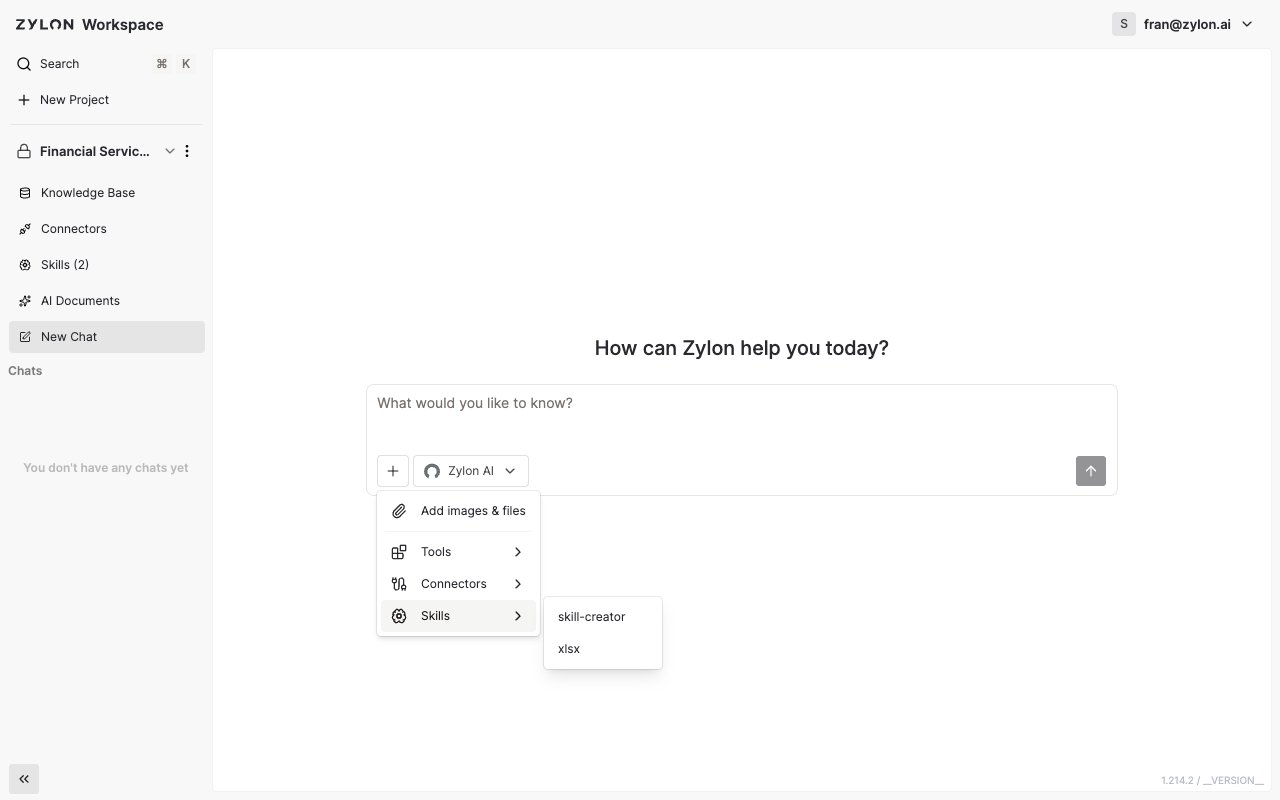
- Select Skills.
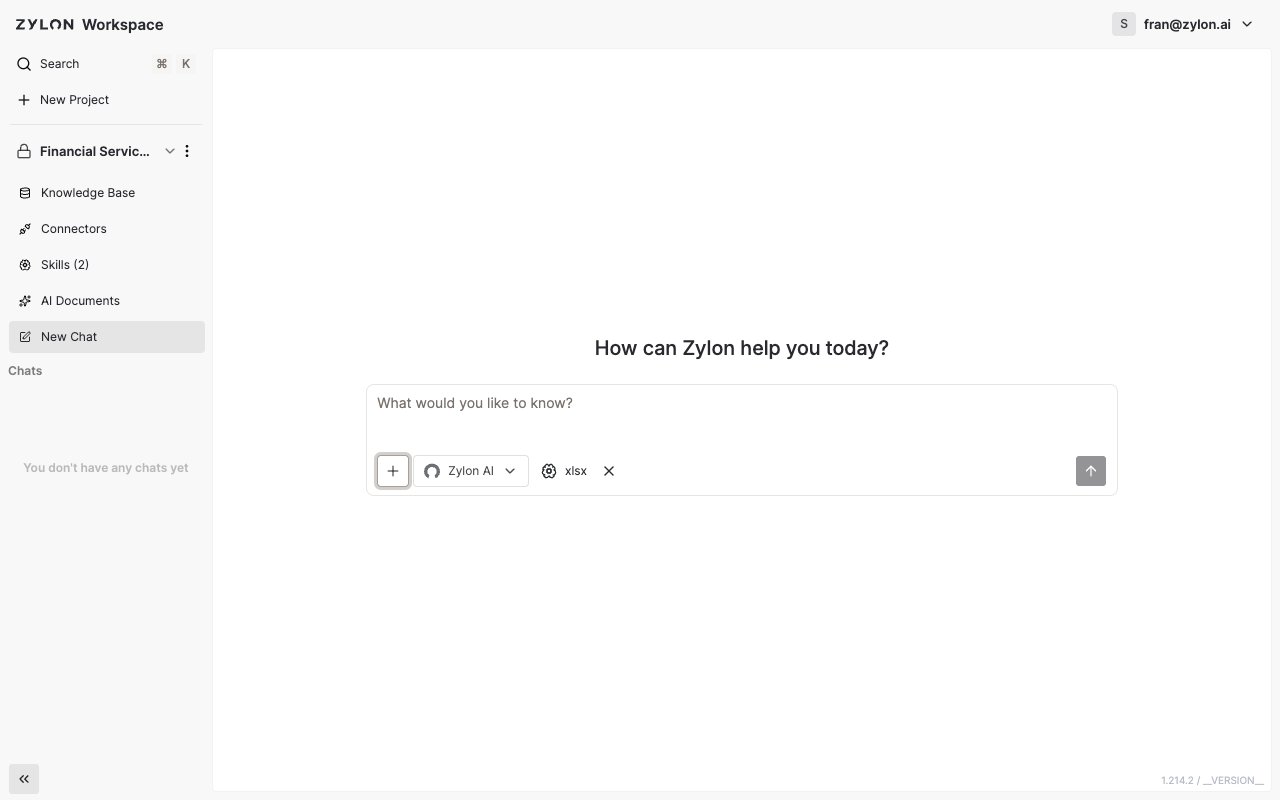
- Pick one or more Skills from the list.
Turning a Skill on by default
If a Skill should apply to every new chat in a project — without picking it manually each time — a project admin can turn on Enable on chat by default for it from the project’s Skills page.You can select more than one Skill in the same message. Zylon uses all of them together to shape its response.