Documentation Index

Fetch the complete documentation index at: https://docs.zylon.ai/llms.txt

Use this file to discover all available pages before exploring further.

This page is for teams that use their own Grafana instance. Zylon provides a reference dashboard for Triton and vLLM platform metrics, but importing it is a separate Grafana task. It is not required to enable observability in Zylon. Use it when you want an external Grafana dashboard for:
  • service health
  • throughput and failures
  • latency analysis
  • scheduler and GPU bottlenecks

What you need first

Before this dashboard is useful, you need:
  • platform metrics enabled in Zylon
  • a Prometheus-compatible metrics backend with Zylon metrics in it
  • a Grafana instance with a Prometheus datasource connected to that backend
See Platform Metrics and Metrics Destinations.

Import the dashboard

Download grafana-dashboard.json and import it in your Grafana instance through Dashboards → New → Import. For the Grafana import flow, see the Grafana import dashboards documentation.

What the dashboard shows

The dashboard is built from the metrics exposed on the Triton /metrics endpoint:
  • Triton Inference Server metrics such as request counts, latency, queue depth, and GPU health
  • vLLM metrics such as scheduler state, KV cache use, token throughput, and latency histograms

Dashboard filters

VariablePurpose
DatasourcePrometheus datasource to query
EnvironmentDeployment or company identifier
ModelModel served by Triton
GPUgpu_uuid filter for GPU-specific panels

Reading the dashboard

Follow this order when investigating an issue:
SectionWhat it helps you answer
OverviewIs the service healthy right now?
Throughput & ErrorsHow much traffic is it handling, and are requests failing?
LatencyWhere is time being spent?
Capacity & SchedulerIs the bottleneck queueing, KV cache pressure, or batching?
Workload AnalysisWhat kind of requests are clients sending?
GPU HealthIs the GPU saturated or memory constrained?
Host ResourcesIs the node itself under pressure?

Panels by section

Overview

Quick health indicators for success rate, requests per second, concurrent requests, and queue depth. Overview and Throughput & Errors sections

Throughput & Errors

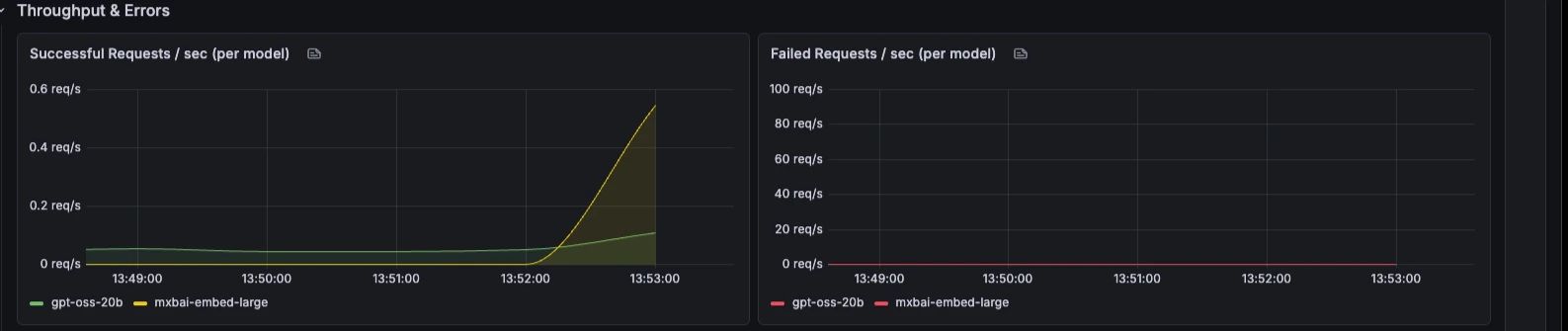
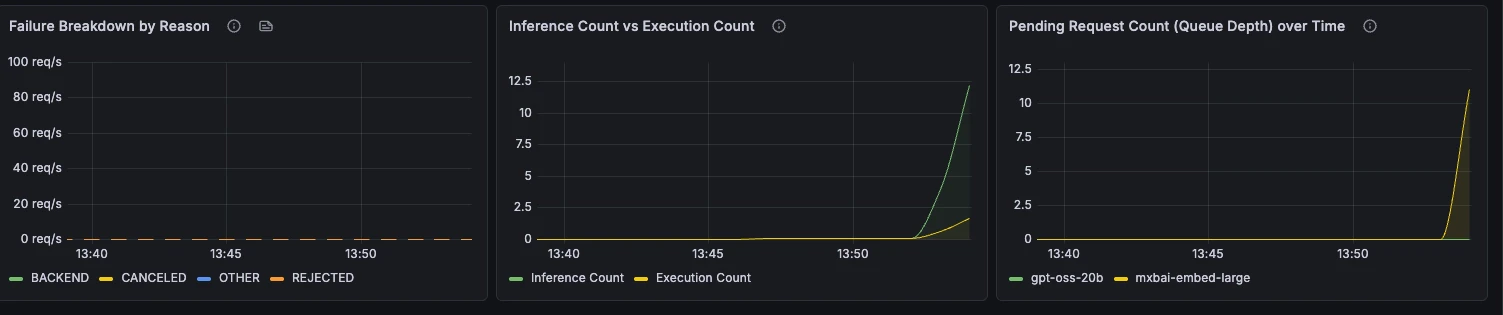
Request rate, failure rate, failure reasons, batching behaviour, and queue depth over time. Throughput & Errors panels Failure breakdown by reason, inference count vs execution count, and pending request queue depth
Latency

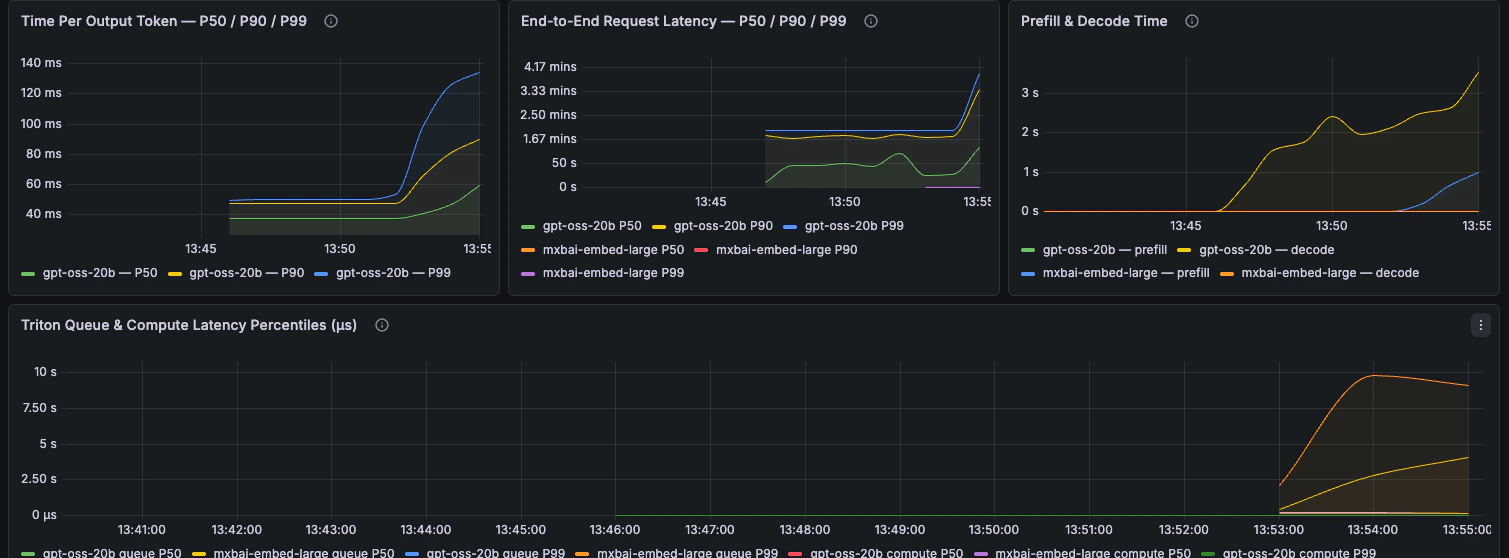
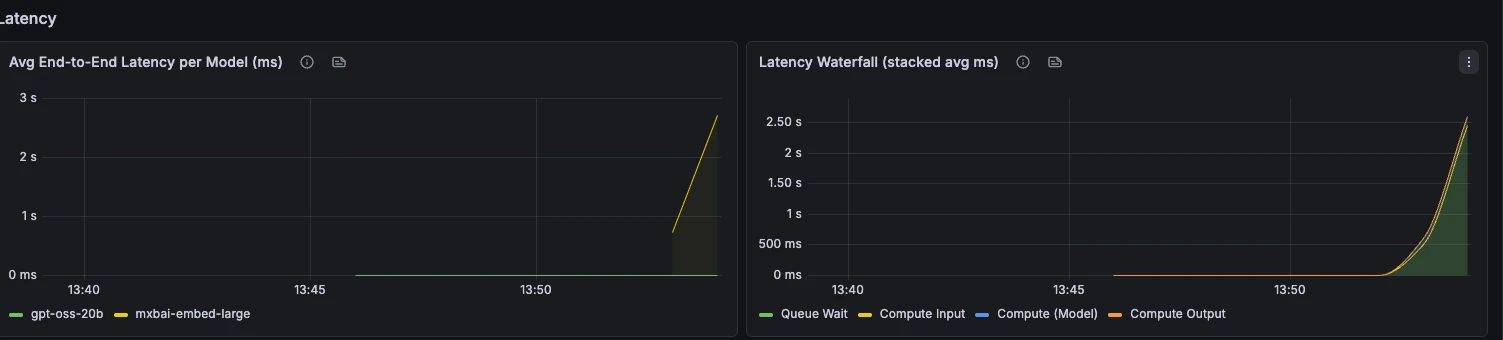
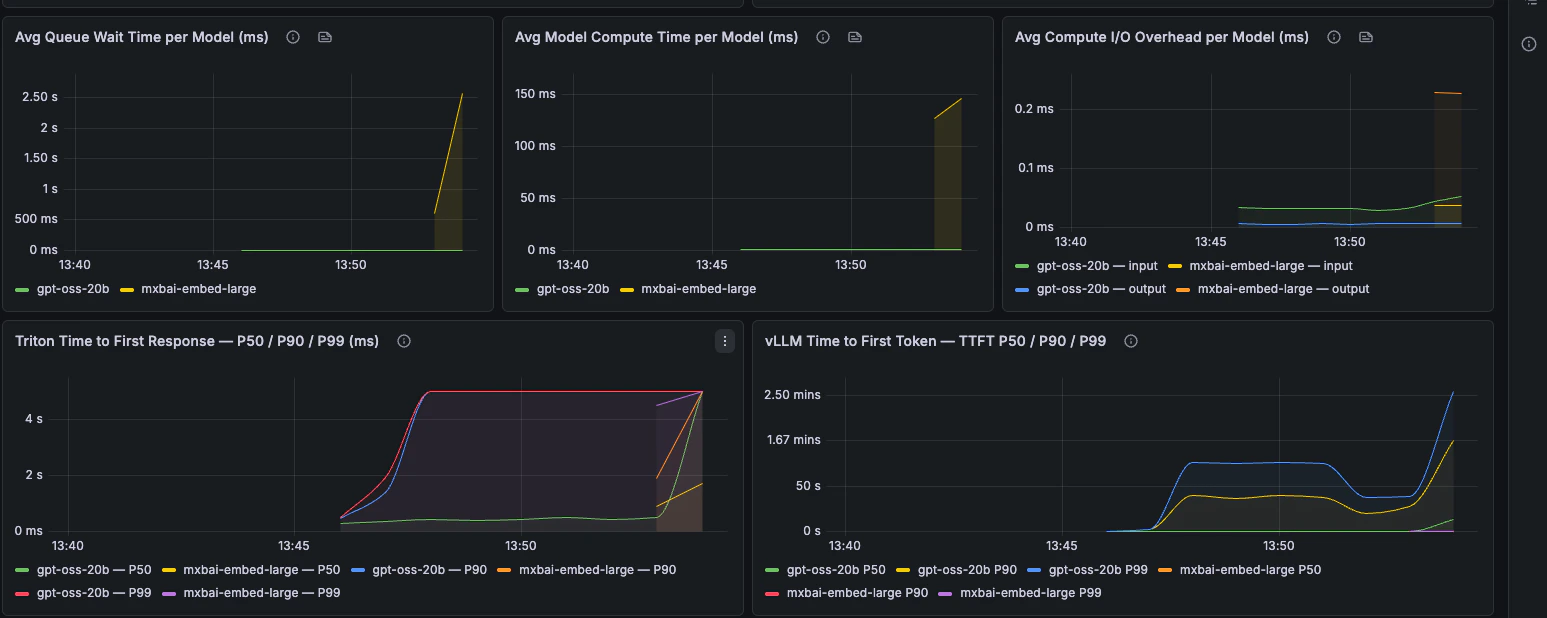
End-to-end latency, phase breakdown, TTFT, TPOT, and request latency percentiles. Avg end-to-end latency and latency waterfall Avg queue, compute, and I/O overhead; Triton and vLLM TTFT percentiles Time per output token, end-to-end latency, prefill and decode time, Triton summary quantiles
Capacity & Scheduler

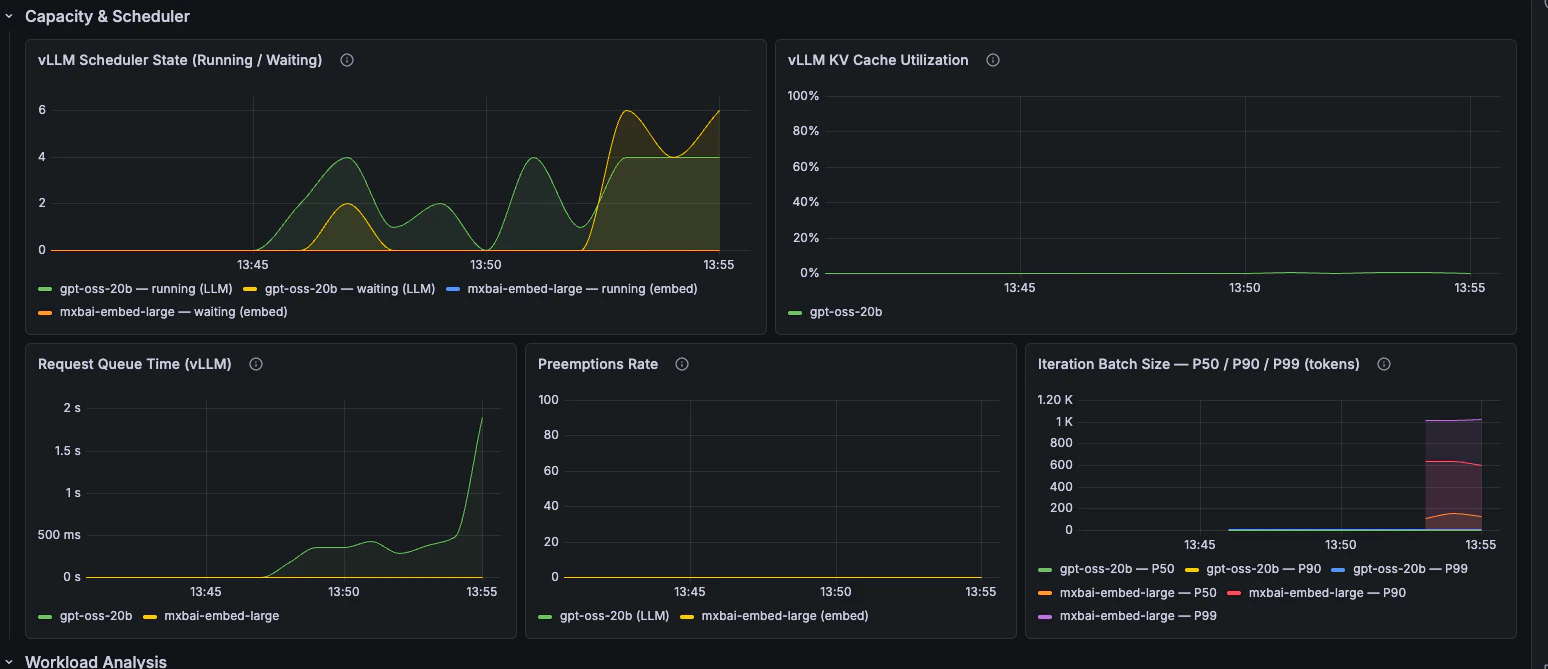
Scheduler state, queue time, KV cache utilisation, preemptions, and batch size. Capacity & Scheduler panels
Workload Analysis

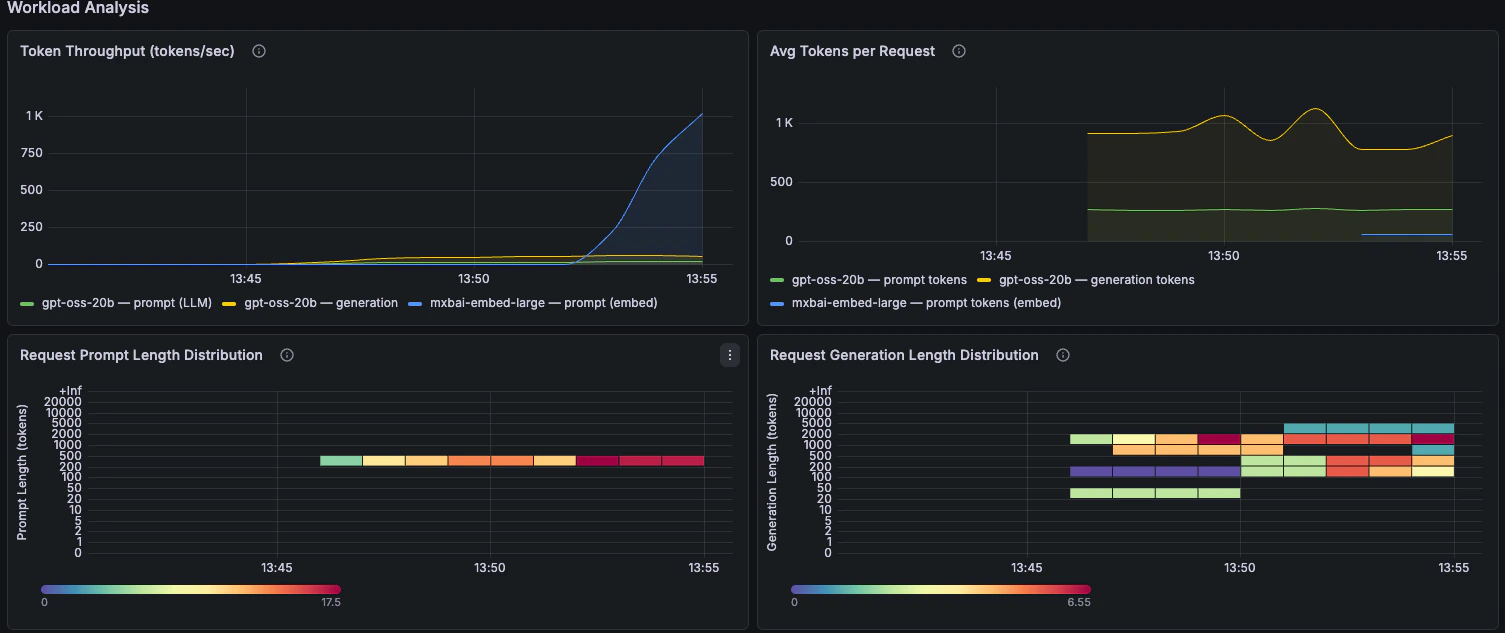
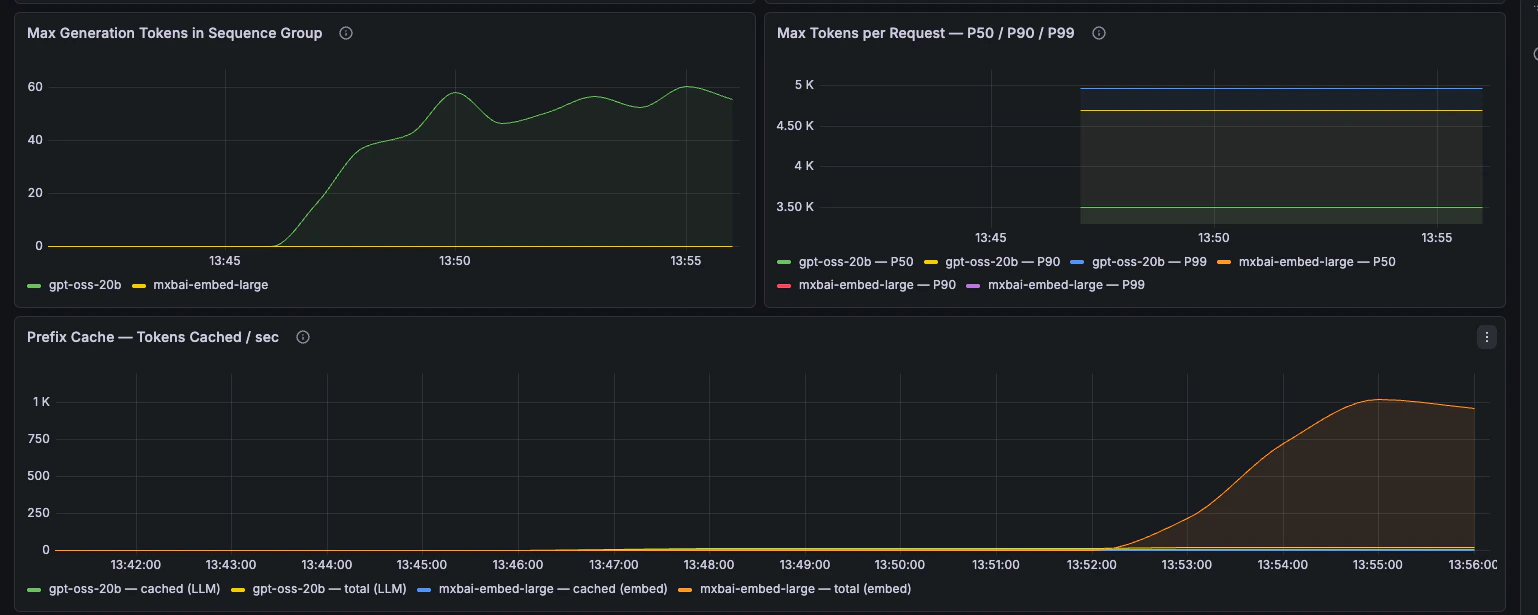
Token throughput, prompt length, generation length, and prefix-cache behaviour. Token throughput, avg tokens per request, and prompt/generation length distributions Max generation tokens, max tokens per request percentiles, and prefix cache hit rate
GPU Health

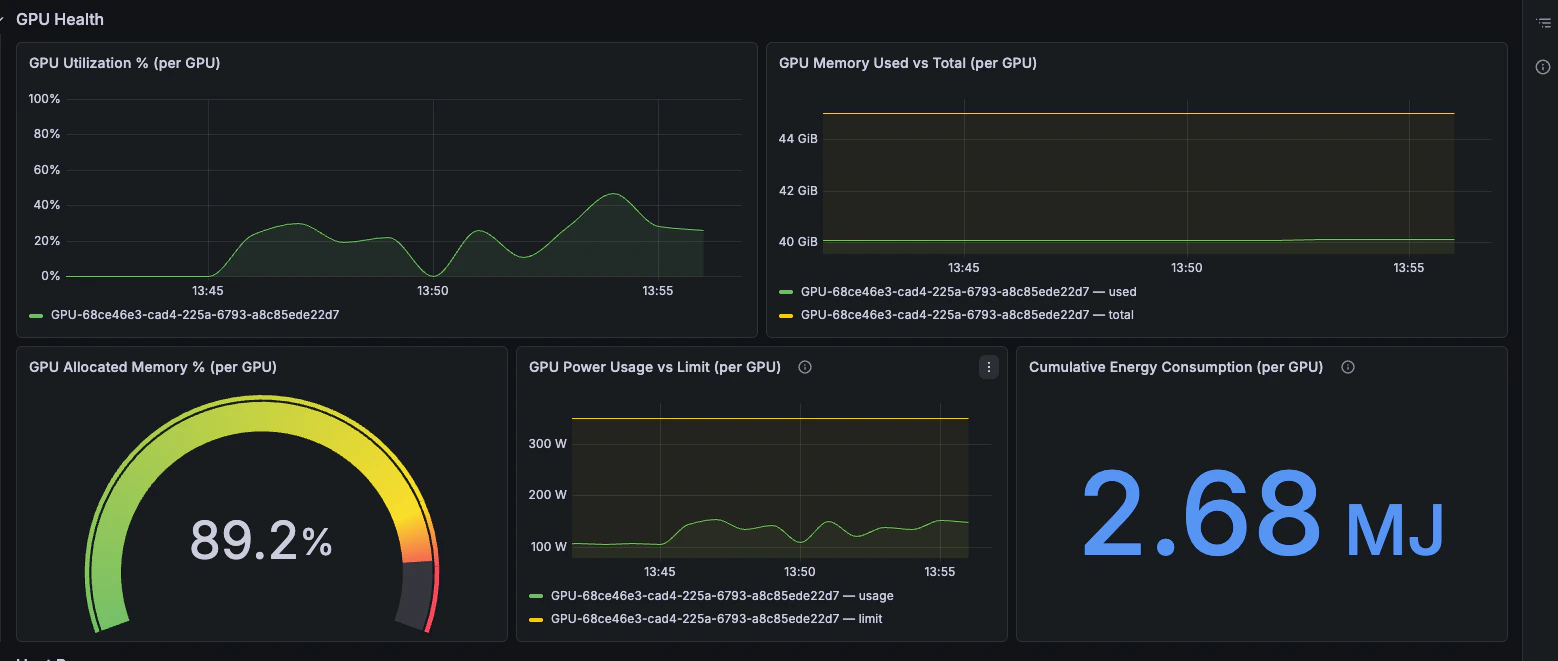
GPU utilisation, memory pressure, power draw, and energy consumption. GPU utilization, memory, power, and energy consumption panels
Host Resources

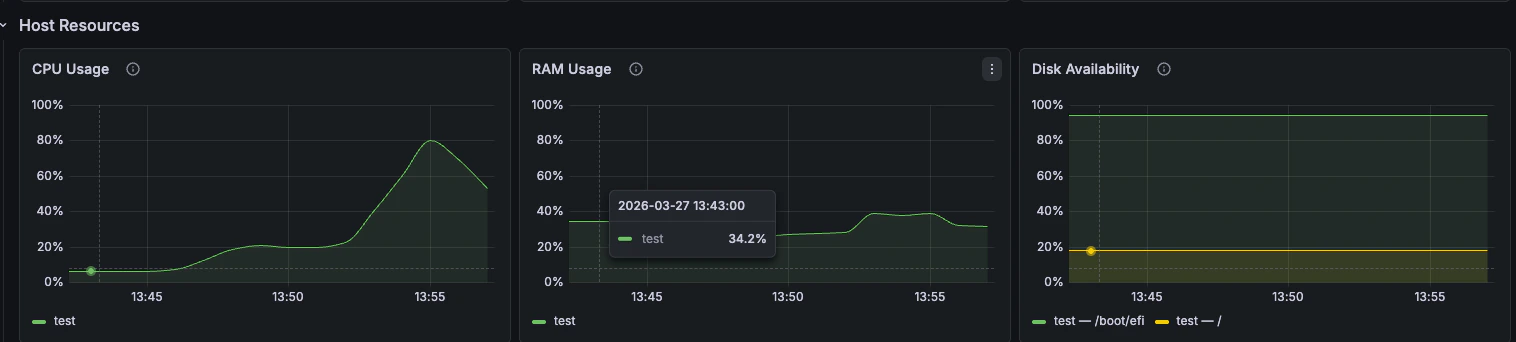
CPU, RAM, and disk availability from node_exporter. CPU usage, RAM usage, and disk availability panels