

Which token do I need?
Workspace Token
Routes
/api/v1/*.Automate Workspace operations — create projects, manage users, interact with ingested files, and more.Gateway Token
Routes
/api/gpt/v1/*.Call the ZylonGPT API directly, the same way you’d use the Anthropic API.- Workspace Token
- Gateway Token (ZylonGPT)
This flow is for Workspace API access under 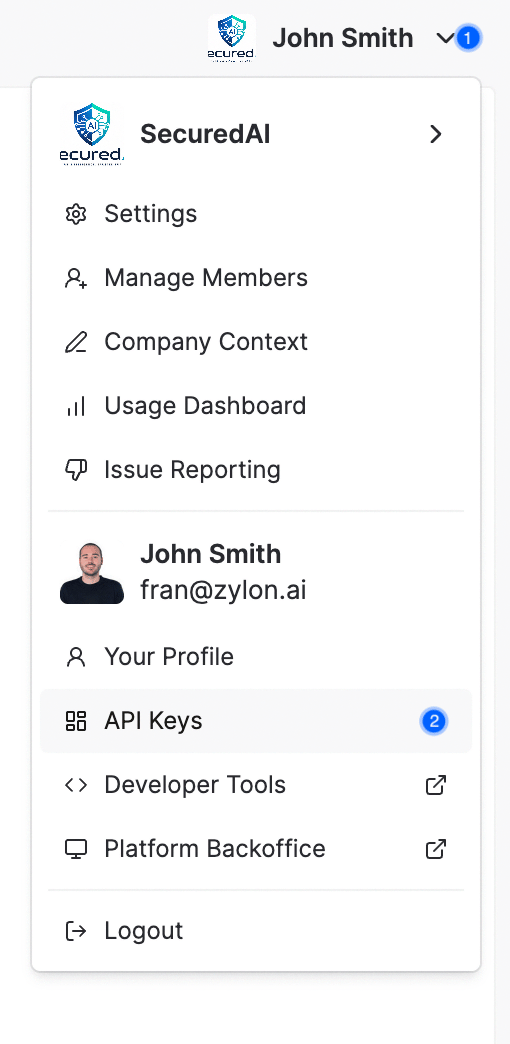
/api/v1/*.Create a Workspace API token
- Sign in to Workspace as an account that can manage API tokens.
- Click the organization logo and open API Tokens.
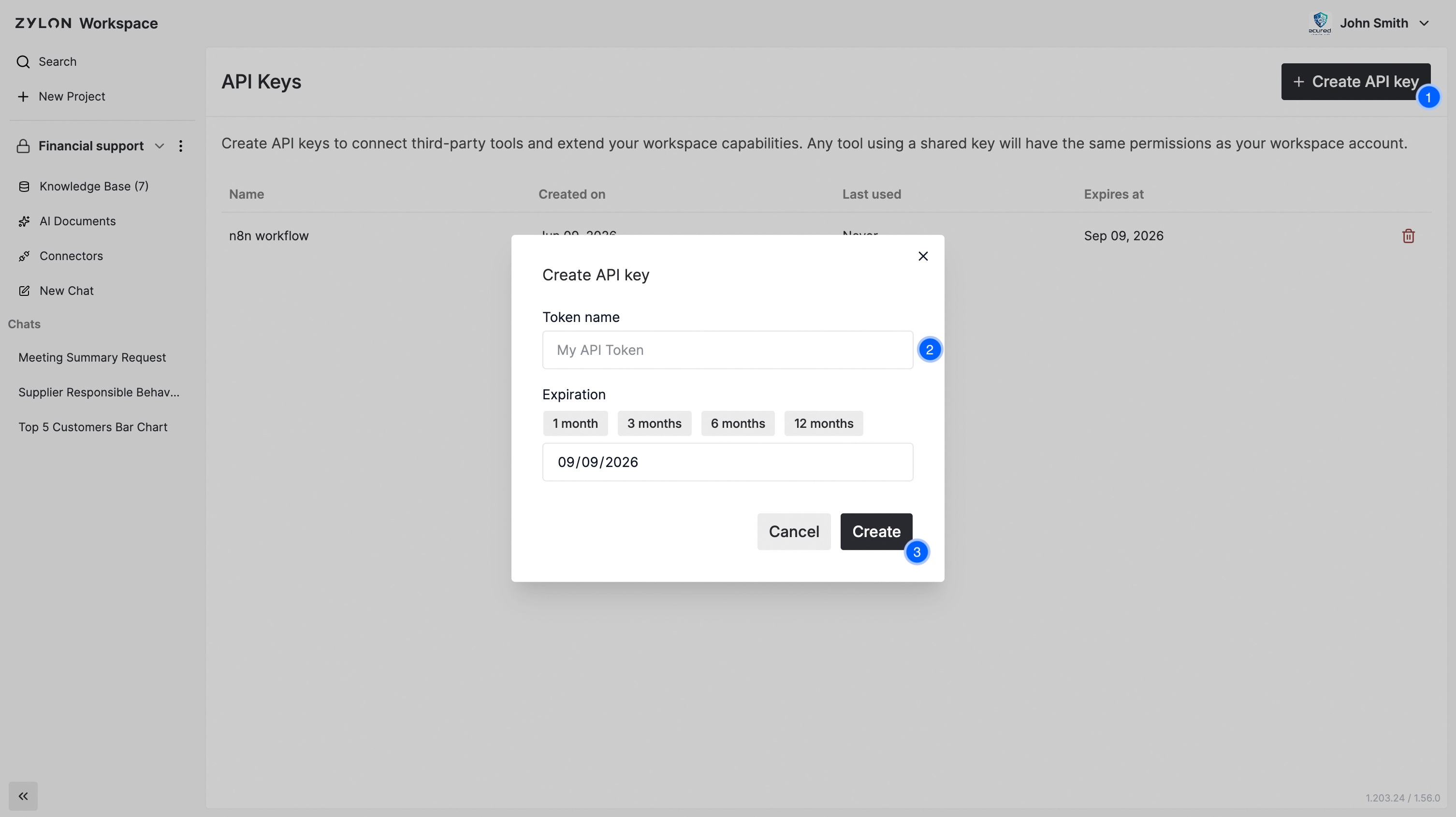
- Click Create API Token, provide a name, and save.
- Copy and store the token value immediately. It is shown once.
Verify token access
Workspace endpoints under/api/v1/app/* require the x-org header.Example response
Example response
Revoke a Workspace token
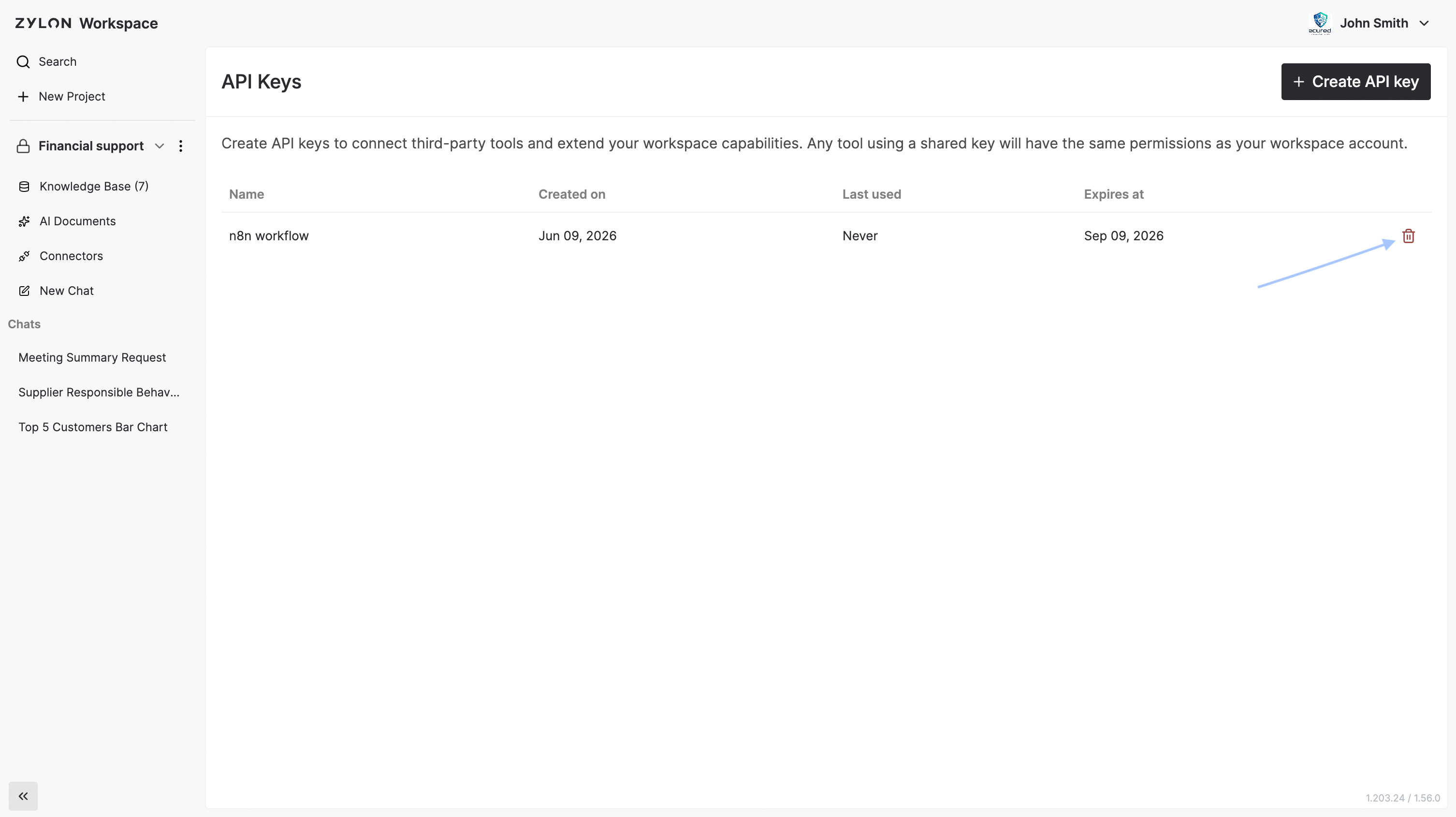
Open API Tokens and click the trash icon on the token row.