Create a token
Zylon APIs are under active development.
While no major breaking changes are anticipated, minor adjustments may occur.
API tokens are generated by the super admin user, and therefore
will have super admin permissions.In a future release, all users will be able to generate their own tokens through the web interface.
- Login as
[email protected]
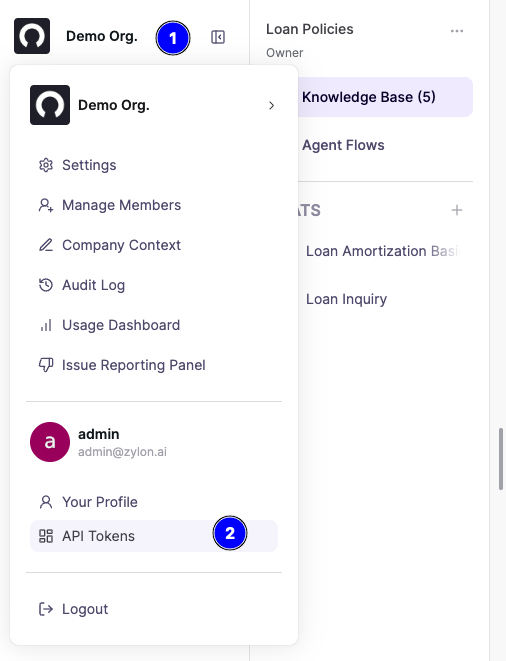
- Click on the organization logo and then in
API Tokens
- Click on
Create API Token, give it a name and save it
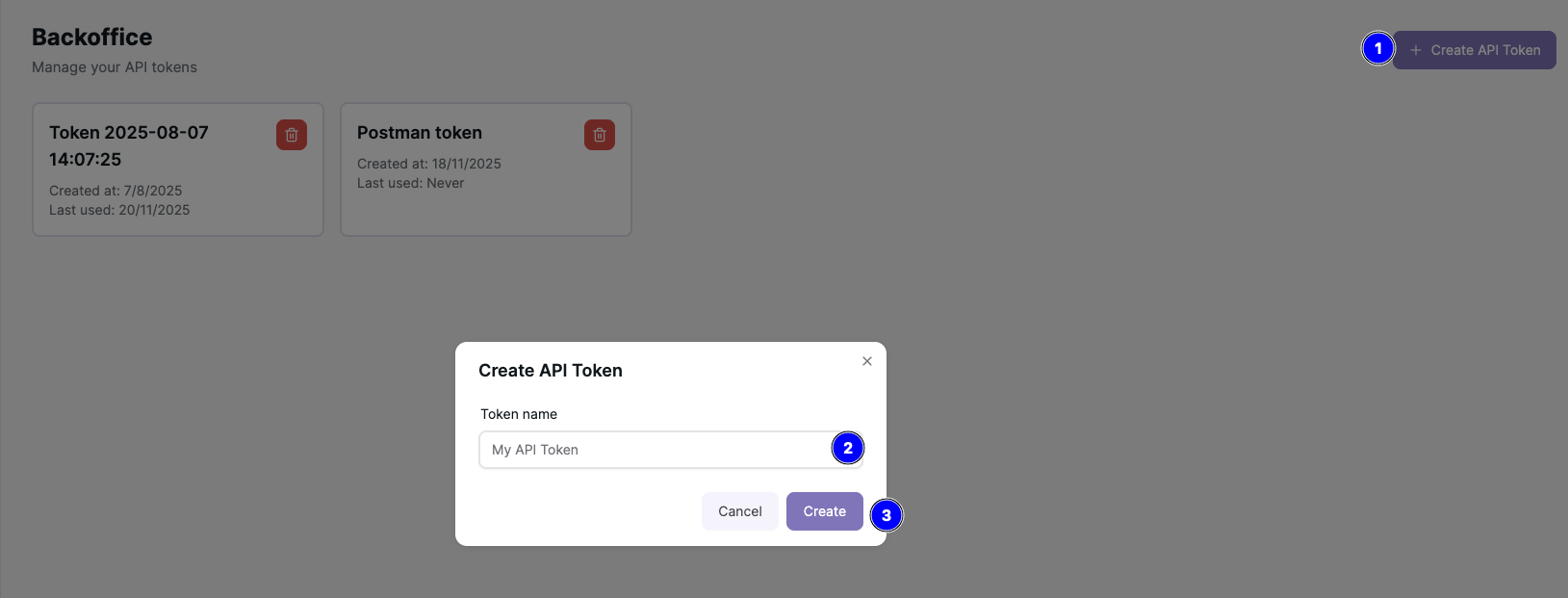
- Copy and save the token, it will only be shown once.
Zylon allows multiple organizations to cohabit in the same installation, so
the organization name MUST also be provided when calling the API with x-org: <org_slug> as a header.
The default organization is called default.
To verify the token is working you can run the CURL command, it will display information about the calling account.
curl -H "Authorization: Bearer <token>" -H "x-org: default" https://<your_zylon_domain.com>/api/v1/account/me
Keep your token secret, it provides full access to your Zylon installation!.
Revoke token
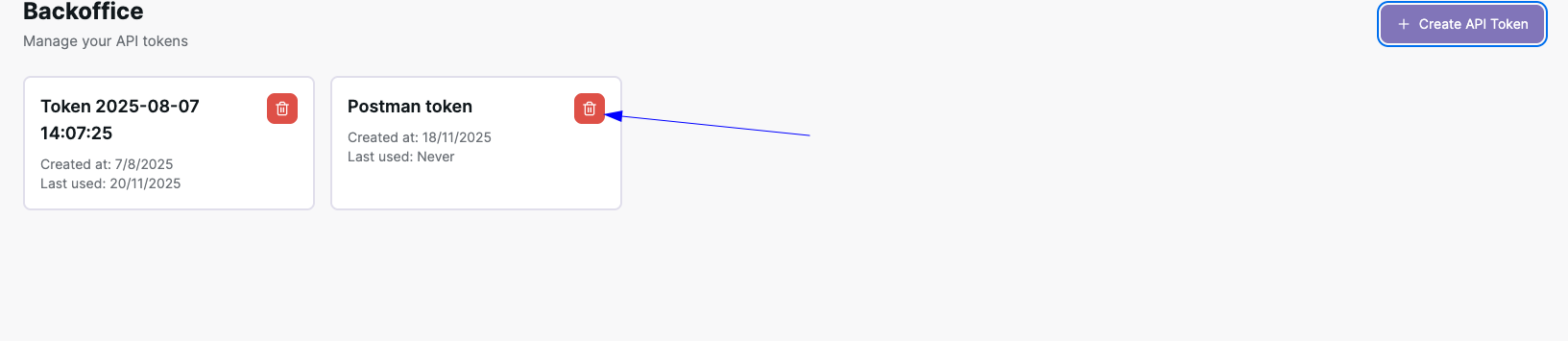
To revoke an existing token, you just need to click on the trash icon on the API Token dashboard
Access the workspace API (High-level API)
In order to access the workspace API, simply call the endpoints under /api/v1/...
Follow the API docs about the workspace API in the sidebar of this page for
the full reference of each endpoint.
Low-level API (ZylonGPT)
To access the low-level API, the Workspace API must be used as a proxy for
authentication purposes.
The requests will be proxied under the url <your_zylon_domain.com>/api/gpt/...
For example, to generate a simple inference you can run the following command:
curl -X POST https://<your_zylon_domain.com>/api/gpt/v1/messages \
    -H "Authorization: Bearer <token>" \
    -H "x-org: default" \
    -H "Content-Type: application/json" \
    -d '{"messages": [{"role": "user", "content": "Write a haiku about AI"}], "stream": false}'
All request to the low-level API must be proxied through the workspace API,
so all paths must start with /api/gpt/... followed by the actual ZylonGPT endpoint.

