

Which token do I need?
Workspace Token
Routes
/api/v1/*.Automate Workspace operations — create projects, manage users, interact with ingested files, and more.Gateway Token
Routes
/api/gpt/v1/*.Call the ZylonGPT API directly, the same way you’d use the Anthropic API.- Workspace Token
- Gateway Token (ZylonGPT)
This flow is for Workspace API access under 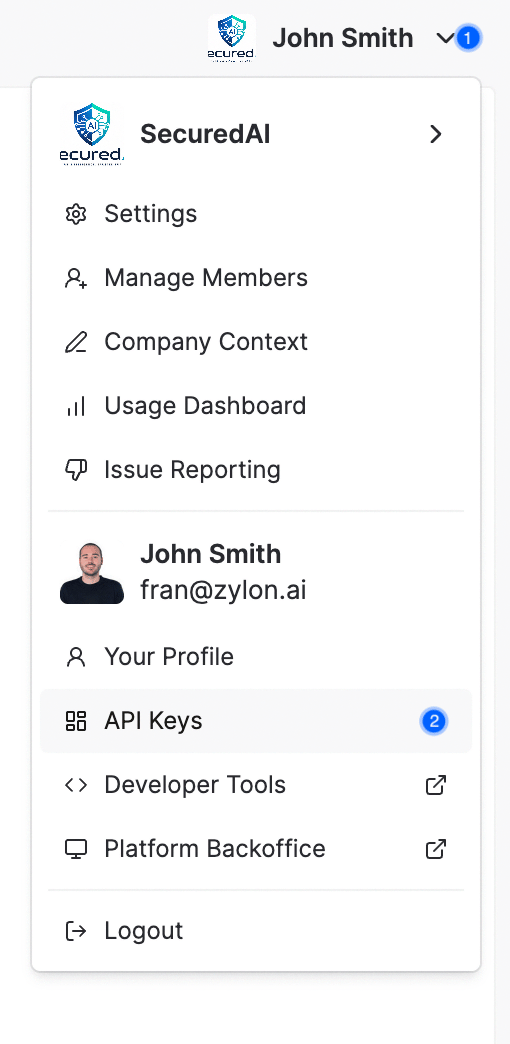
/api/v1/*.Create a Workspace API token
- Sign in to Workspace as an account that can manage API tokens.
- Click the organization logo and open API Tokens.
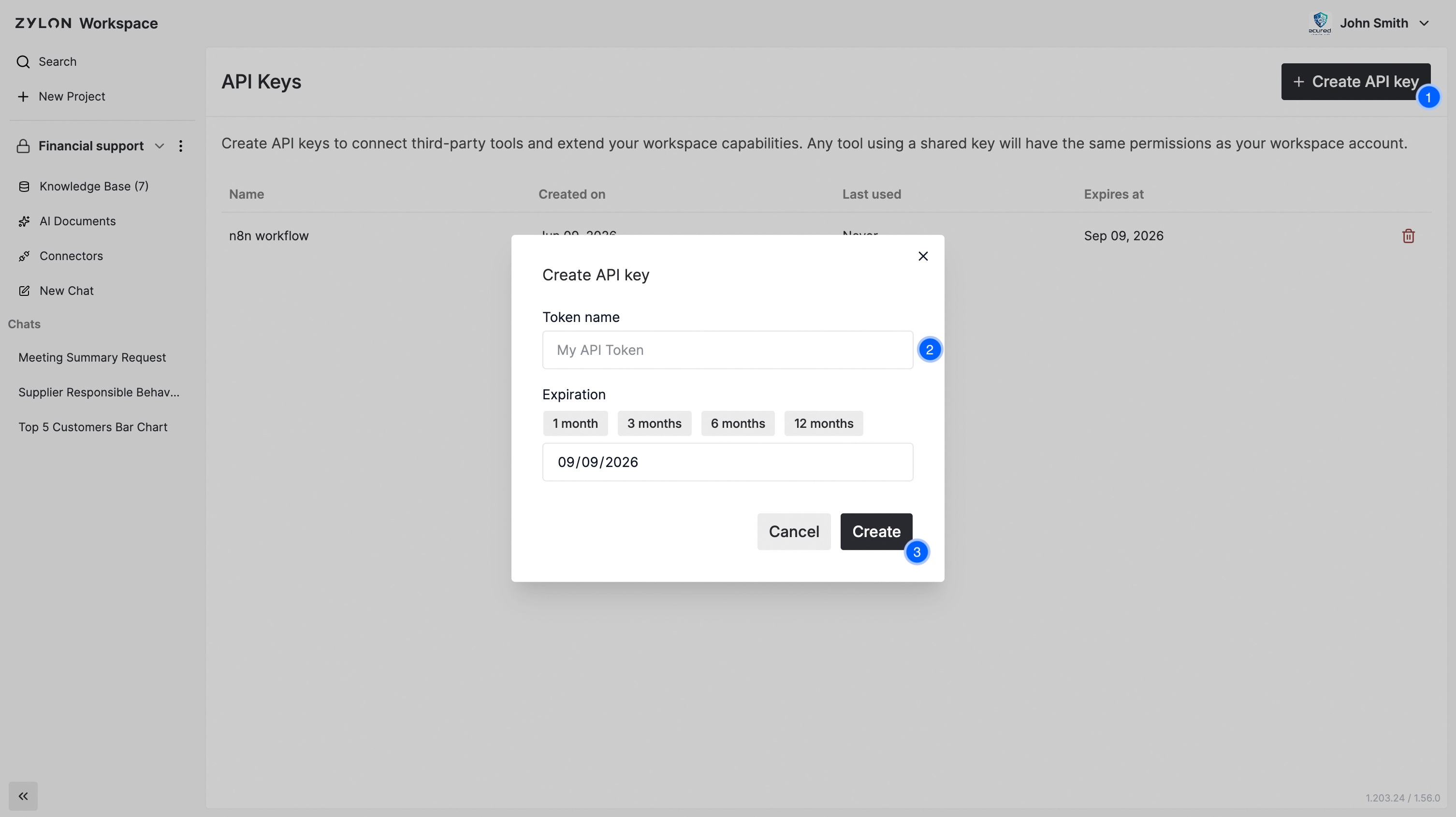
- Click Create API Token, provide a name, and save.
- Copy and store the token value immediately. It is shown once.
Verify token access
Workspace endpoints under/api/v1/app/* require the x-org header.Example response
Example response
Revoke a Workspace token
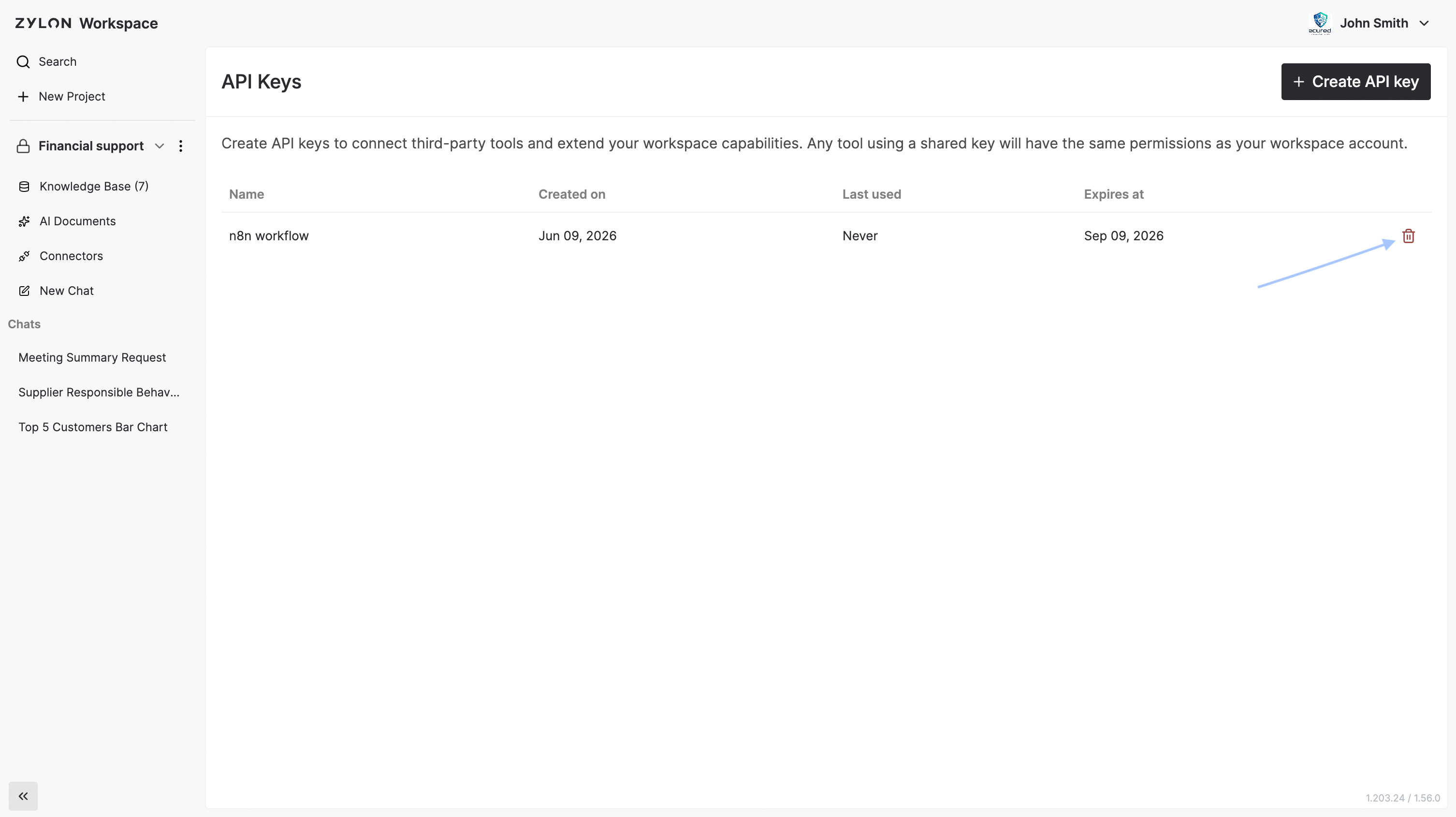
Open API Tokens and click the trash icon on the token row.API token scopes
Account token creation accepts these six serialized scope values:
When a token has multiple scopes, their grants are combined. The effective permissions are then limited to the permissions of the account and role that owns the token. A broad scope cannot elevate its owner, and a read-only API token remains restricted even when its owner is a SuperAdmin. These scope restrictions apply to API tokens only; interactive sessions are unchanged.
When an account token request omits
scopes, it defaults to Workspace.ReadWrite.All. Sending an explicit empty scopes array returns 400. Both PrivateGPT.Read.All and PrivateGPT.ReadWrite.All require gateway_id.Read.All does not require gateway_id at creation. Without that gateway context, the token can use its other read grants but cannot call ZylonGPT.
Gateway token creation accepts only PrivateGPT.Read.All and PrivateGPT.ReadWrite.All; requesting another scope returns 400. For backward compatibility, the gateway token endpoint maps an explicit empty legacy scope list to PrivateGPT.ReadWrite.All.
For the ZylonGPT read-only endpoint list and read-write requirements, see the ZylonGPT API overview.