> ## Documentation Index
> Fetch the complete documentation index at: https://docs.zylon.ai/llms.txt
> Use this file to discover all available pages before exploring further.
# Confluence Server connector
> Import pages from an on-premise Confluence Server / Data Center instance and keep them in sync on demand.
**Upcoming release — Zylon 1.58**
These docs are published ahead of release so you can prepare your API integrations. The release image is not yet available. For installations running 1.57, use the [1.57 documentation](/en/v1.57/overview).
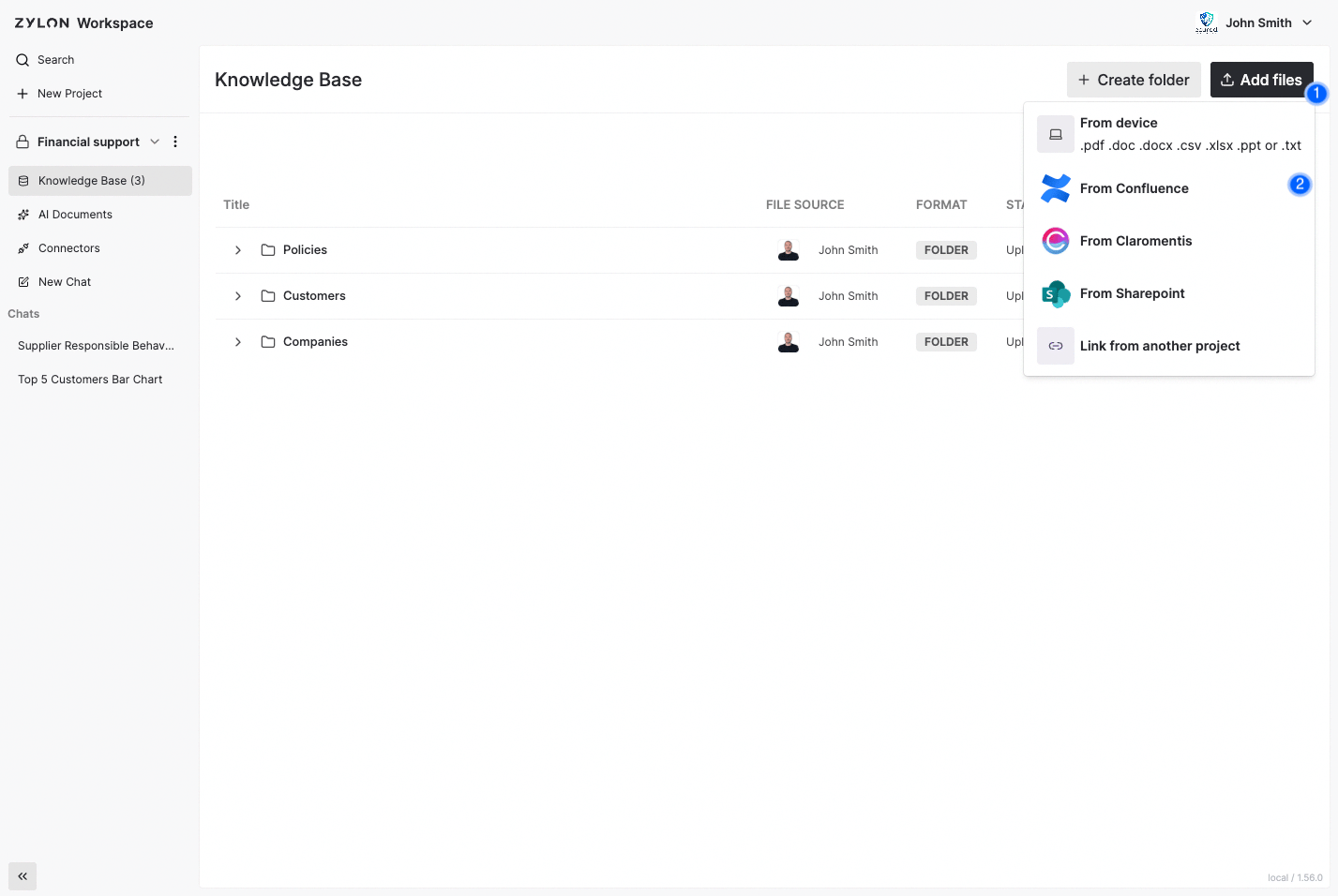
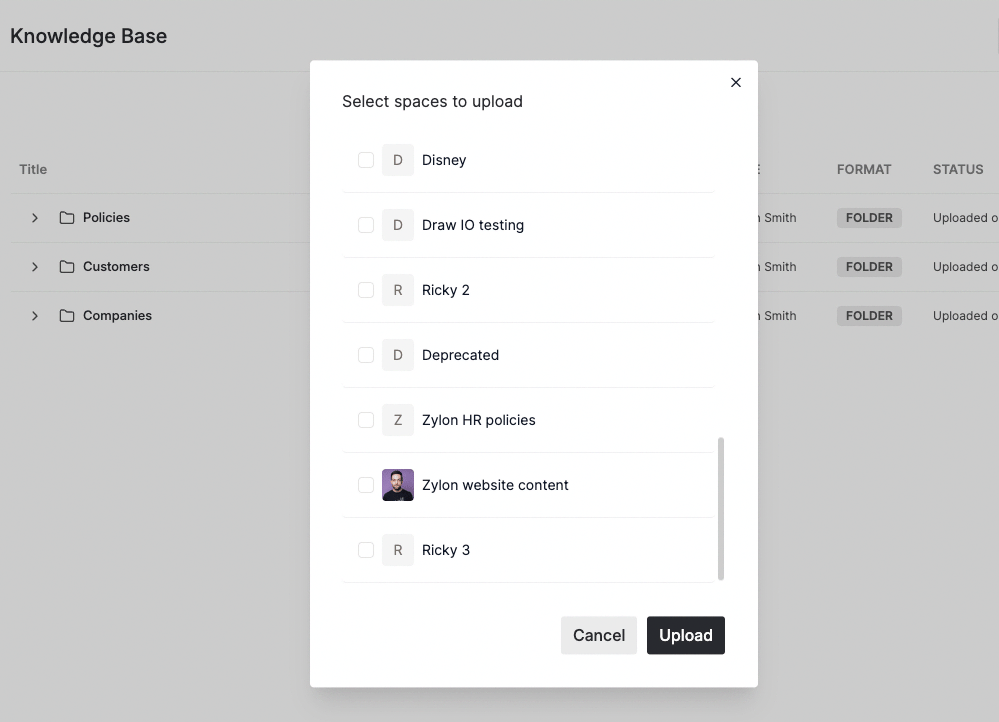
You can import **Spaces** from a **Confluence Server / Data Center** instance that you have access to.
After importing, use the **Update** button (within the 3-dots menu) to **sync** with the source:
* Detects **content changes** in pages.
* Adds **new pages** and **removes** deleted ones.
* Reflects **moves and renames**, keeping the structure in sync with the Confluence Space hierarchy.
Confluence Server does not use folders.
Instead, **pages and their child pages** are used to recreate the hierarchy.
> Everyone with access to the Project will have access to the pages you connect, independently of the original permissions in Confluence.
 Check how to enable the connector in the
[Operator Manual](/en/v1.58/operator-manual/knowledge-base/confluence-server)
This documentation is built and hosted on [Mintlify](https://mintlify.com), a developer documentation platform.
Check how to enable the connector in the
[Operator Manual](/en/v1.58/operator-manual/knowledge-base/confluence-server)
This documentation is built and hosted on [Mintlify](https://mintlify.com), a developer documentation platform.