> ## Documentation Index
> Fetch the complete documentation index at: https://docs.zylon.ai/llms.txt
> Use this file to discover all available pages before exploring further.
# Introduction to Skills
> What a Skill is, and when to use one instead of just asking in chat.
A **Skill** is a ready-made instruction pack for Zylon's assistant. Instead of re-explaining how you want a task done every time — "format it like this," "always include these sections," "follow this checklist" — you (or your admin) write it once as a Skill, and then anyone with access can trigger it in chat with a click.
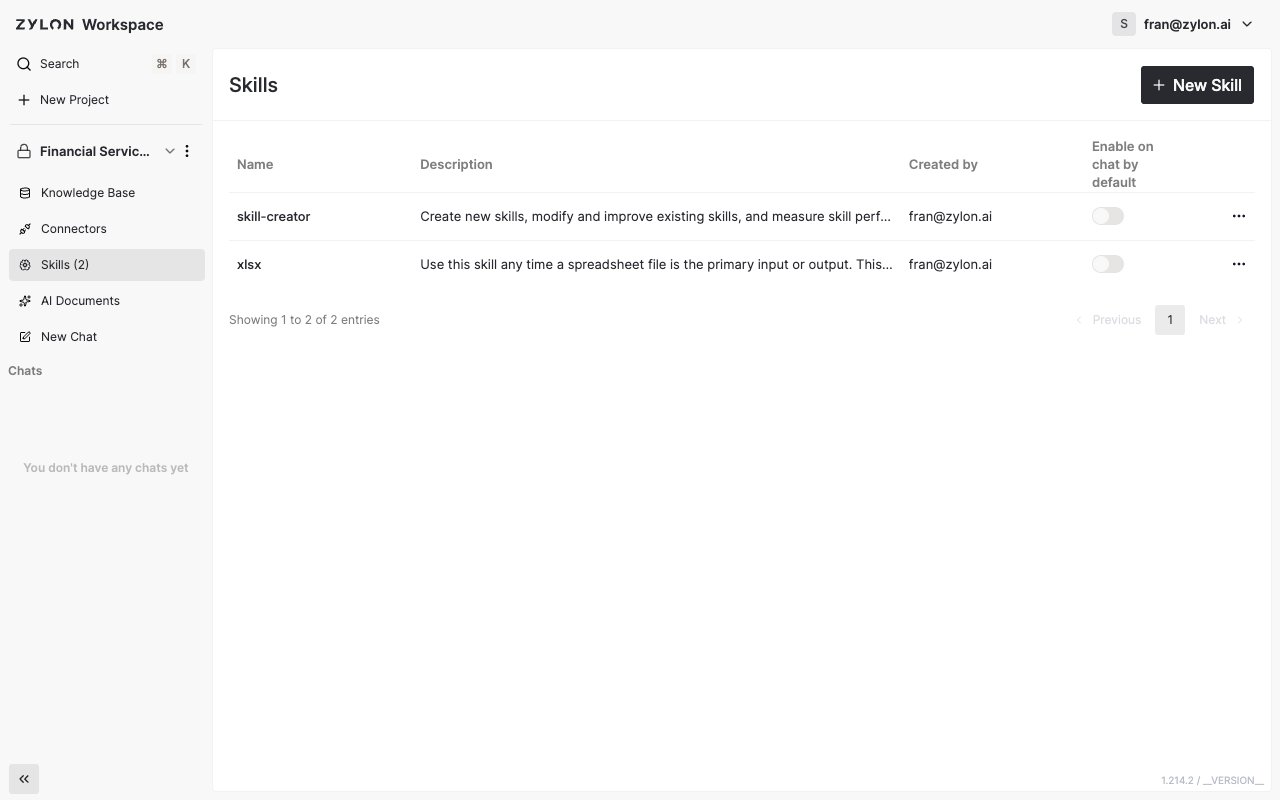
Think of it as a repeatable recipe: a Skill named `xlsx`, for example, can tell Zylon exactly how to clean up, build, or fix a spreadsheet whenever you're working with one.
***
## Where Skills live
Skills exist at two levels:
* **Organization Skills** — published by an admin from the admin panel, and available to be added to any project. See [Managing Organization Skills](/en/user-manual/managing-organization-skills).
* **Project Skills** — created directly inside a single project, or installed there from the organization's library. Visible from the **Skills** tab in your project sidebar.
 ***
## What you can do with Skills
* **[Create a Skill](/en/user-manual/skills/creating-a-skill)** in a project by uploading a Skill file.
* **[Install an organization Skill](/en/user-manual/skills/installing-from-organization)** into your project without building anything yourself.
* **[Use a Skill in chat](/en/user-manual/skills/using-skills-in-chat)** by picking it from the message box, or have it apply automatically to every new chat.
Only project admins and editors can add or remove Skills. Viewers can still use any Skill that's already available in the project.
***
## What you can do with Skills
* **[Create a Skill](/en/user-manual/skills/creating-a-skill)** in a project by uploading a Skill file.
* **[Install an organization Skill](/en/user-manual/skills/installing-from-organization)** into your project without building anything yourself.
* **[Use a Skill in chat](/en/user-manual/skills/using-skills-in-chat)** by picking it from the message box, or have it apply automatically to every new chat.
Only project admins and editors can add or remove Skills. Viewers can still use any Skill that's already available in the project.