> ## Documentation Index
> Fetch the complete documentation index at: https://docs.zylon.ai/llms.txt
> Use this file to discover all available pages before exploring further.
# Installing an organization Skill
> Reuse a Skill your admin already published, without building it yourself.
If your organization admin has published Skills at the organization level, you can add any of them to your project in a couple of clicks — no need to recreate one from scratch.
## Steps
1. Open your project and go to the **Skills** tab in the sidebar.
2. Click **New Skill**, then choose **Install from organization**.
3. Browse the list of Skills published by your admin.
4. Click **Install** next to the one you want.
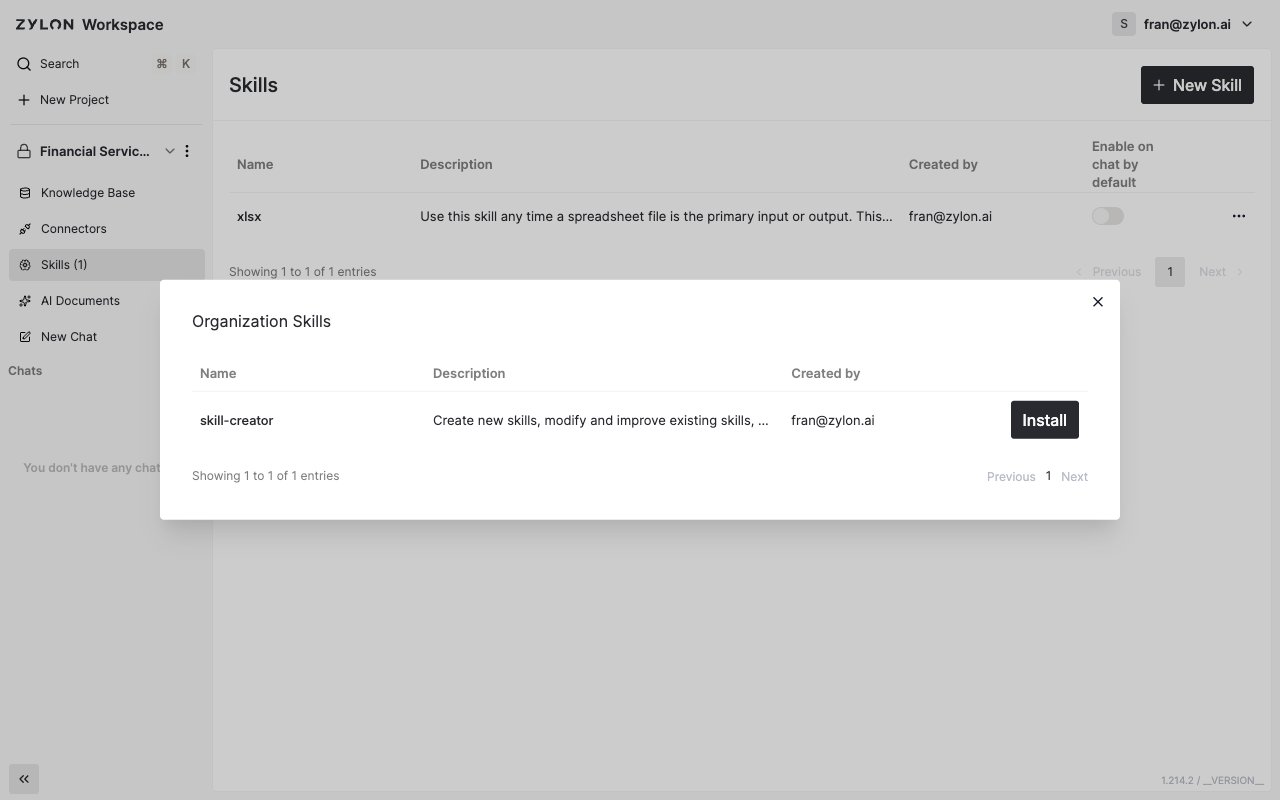 The Skill now shows up in your project's Skills list, right alongside any Skills created directly in the project, and is ready to use in chat.
An installed organization Skill is shared, not copied — if your admin updates or removes it, that change applies everywhere it's installed.
The Skill now shows up in your project's Skills list, right alongside any Skills created directly in the project, and is ready to use in chat.
An installed organization Skill is shared, not copied — if your admin updates or removes it, that change applies everywhere it's installed.