> ## Documentation Index
> Fetch the complete documentation index at: https://docs.zylon.ai/llms.txt
> Use this file to discover all available pages before exploring further.
# Creating a Skill
> Add a new Skill to your project by uploading a Skill file.
Project admins and editors can add a new Skill directly inside a project.
## Steps
1. Open your project and go to the **Skills** tab in the sidebar.
2. Click **New Skill**, then choose **Upload from your device**.
3. Drag a Skill file onto the dropzone (a `.zip`, `.skill`, or `SKILL.md` file), or click **Add Files** to browse your device.
4. Check the name and description Zylon picked up from the file.
5. Click **Install**.
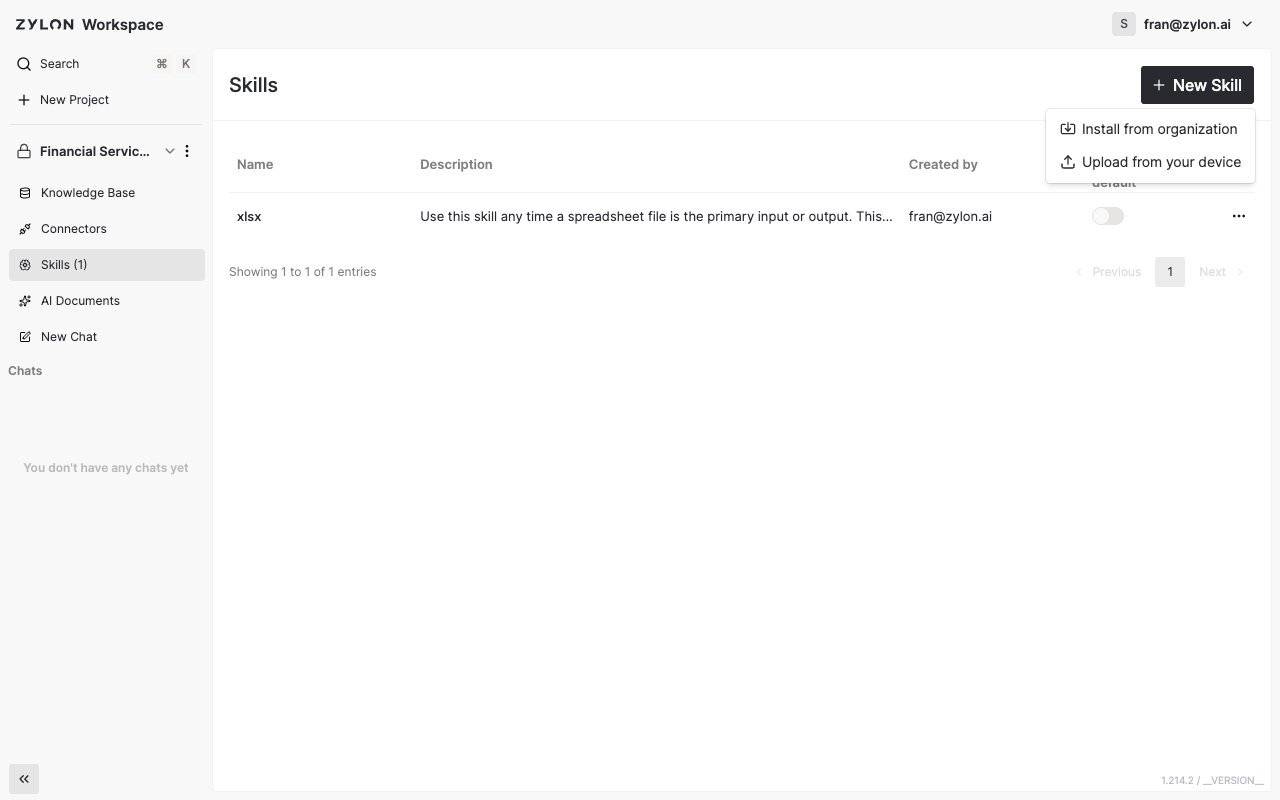 Your new Skill now appears in the project's Skills list and is ready to use in chat.
Only upload Skills from sources you trust — a Skill's instructions run automatically whenever someone uses it.
Need a Skill that everyone in the organization can reuse, not just this project? Ask an admin to publish it from [Managing Organization Skills](/en/user-manual/managing-organization-skills), then [install it](/en/user-manual/skills/installing-from-organization) into any project that needs it.
Your new Skill now appears in the project's Skills list and is ready to use in chat.
Only upload Skills from sources you trust — a Skill's instructions run automatically whenever someone uses it.
Need a Skill that everyone in the organization can reuse, not just this project? Ask an admin to publish it from [Managing Organization Skills](/en/user-manual/managing-organization-skills), then [install it](/en/user-manual/skills/installing-from-organization) into any project that needs it.