> ## Documentation Index
> Fetch the complete documentation index at: https://docs.zylon.ai/llms.txt
> Use this file to discover all available pages before exploring further.
# Engagement Analytics
> Admin‑only, aggregated view (usage dashboard) to understand adoption over time.
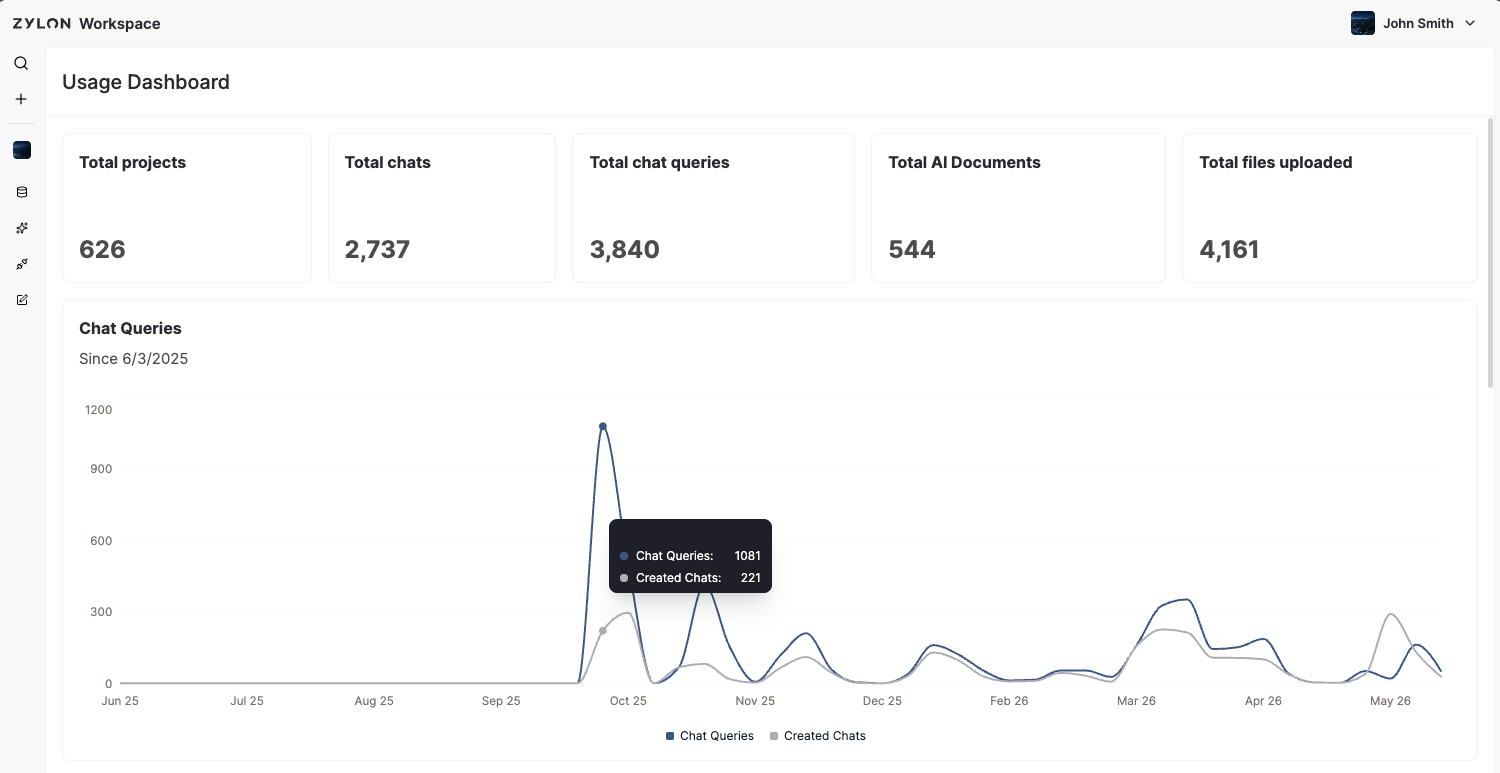
The **Usage Dashboard** is used to understand **engagement**. It is **admin‑only** and shows **aggregated** information.
## What you can see
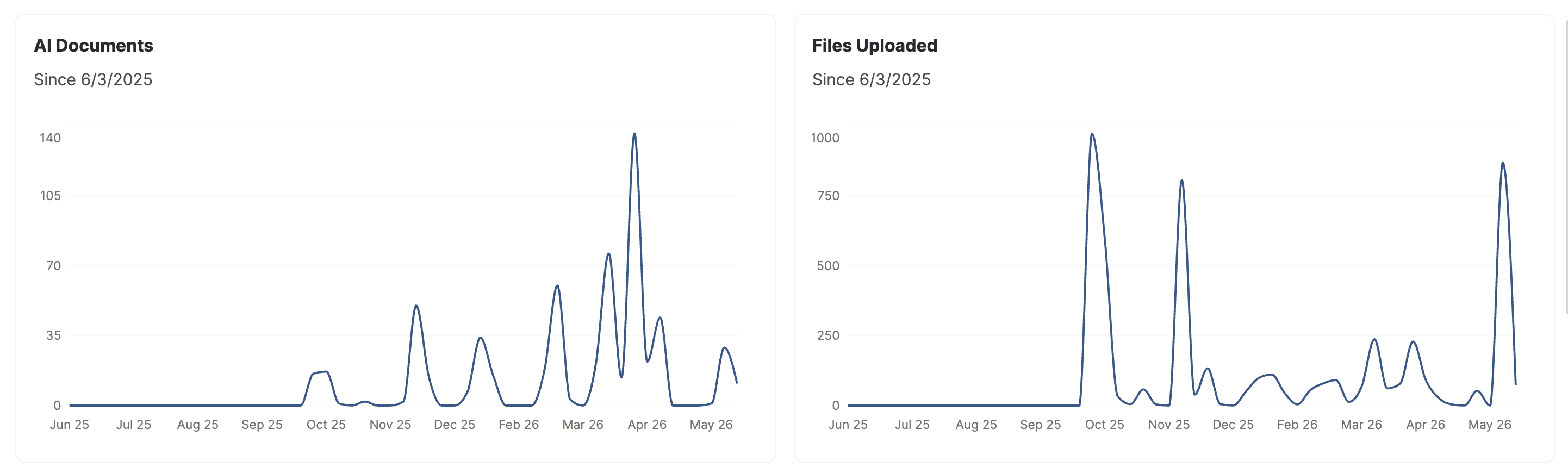
* Activity across the workspace (e.g., **queries**, **chats**, **projects**, **AI Documents**, **documents linked**).
* **Temporal** views: how people is engaging over time.
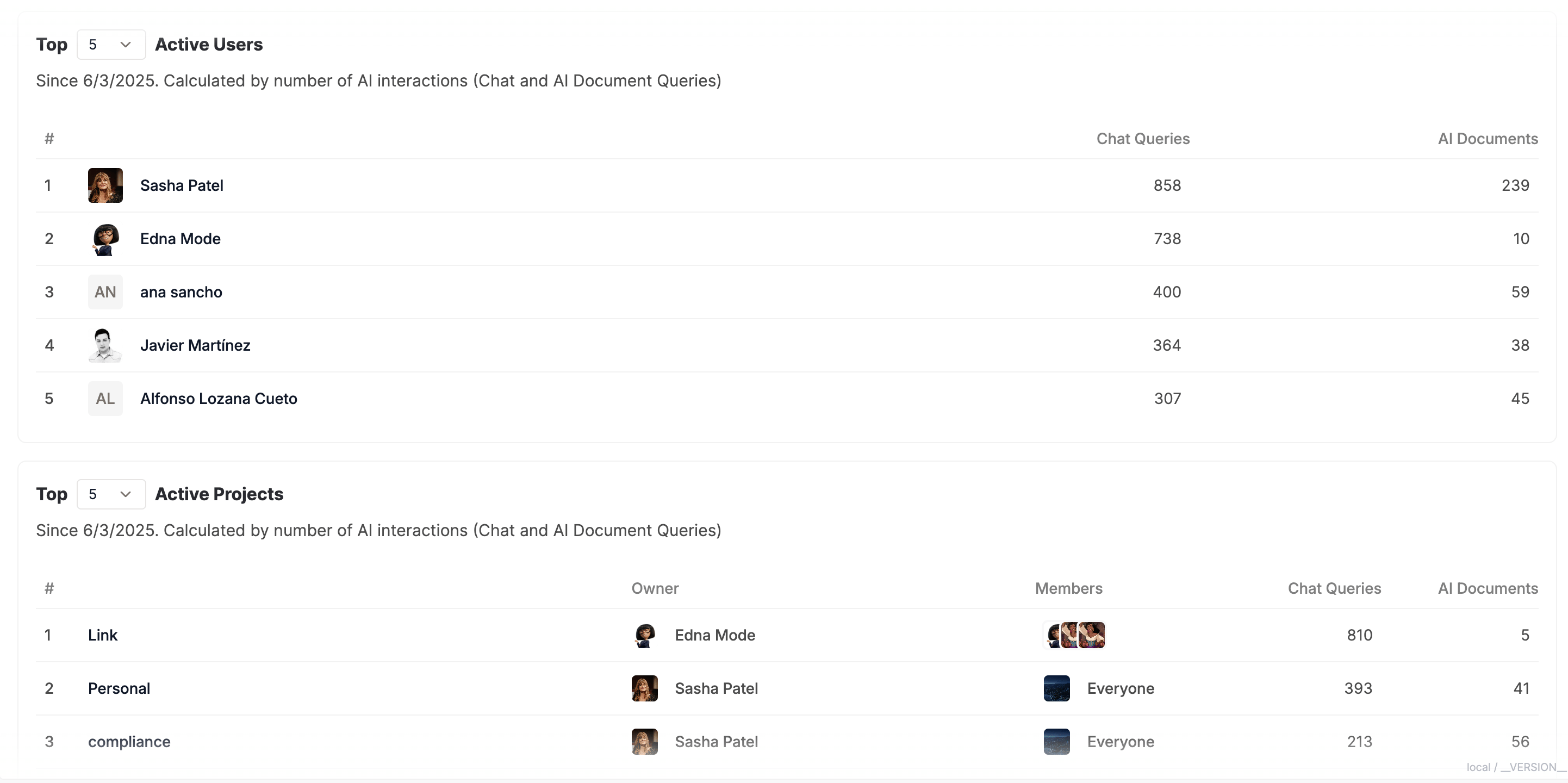
* **Top users and projects** list of top N users and projects via dropdown.
 > Combining **Usage Dashboard** with **Audit Logs** gives a fuller picture of adoption and behavior.
Engagement Analytics is designed to **demonstrate value** and support enablement—without exposing the content of individual interactions.
> Combining **Usage Dashboard** with **Audit Logs** gives a fuller picture of adoption and behavior.
Engagement Analytics is designed to **demonstrate value** and support enablement—without exposing the content of individual interactions.